
GTF uses a sidebar for main navigation and a top bar for search and account settings.
Sidebar Menu
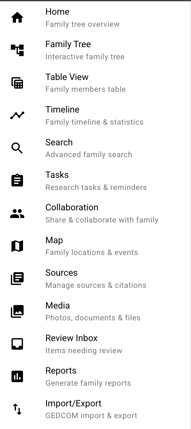
- Home - Family tree overview and dashboard
- Family Tree - Interactive family tree view
- Table View - Family members in a spreadsheet-style table
- Timeline - Family timeline and statistics
- Search - Advanced family search
- Tasks - Research tasks and reminders
- Collaboration - Share and collaborate with family
- Map - Family locations and events
- Sources - Manage sources and citations
- Media - Photos, documents, and files
- Review Inbox - Items needing review
- Reports - Generate family reports
- Import/Export - GEDCOM import and export
Top Bar
- Search box for quick searches
- Notifications bell for updates
- Profile menu for account settings and sign out