Why Your GEDCOM Import Keeps Losing Sources (And How to Stop It)

Michael Robellard
Why Your GEDCOM Import Keeps Losing Sources (And How to Stop It)
5:25
If you've ever moved a tree from one piece of software to another, you already know the dread. You export a GEDCOM file, you import it somewhere new, and the tree that comes out the other side is mostly right — the people are there, the relationships are mostly there — but something's missing. A citation you spent an hour tracking down. A note explaining why you trusted one record over another. A photo that was linked to a person and now just... isn't.
GEDCOM is the only format every genealogy program agrees to speak, which makes it essential and also kind of a minefield. Here's what actually goes wrong, and what to check before you trust an import.
Why GEDCOM loses things in the first place
GEDCOM has been through several revisions (5.5, 5.5.1, 5.5.5, and now 7.0), and every vendor has historically added its own extensions on top of the spec — custom tags prefixed with an underscore, vendor-specific event types, proprietary multimedia handling. A file exported from one program is technically valid GEDCOM, but the parser on the receiving end only knows what it was built to expect. Anything outside that gets silently dropped, or worse, silently misfiled.
The most common casualties:
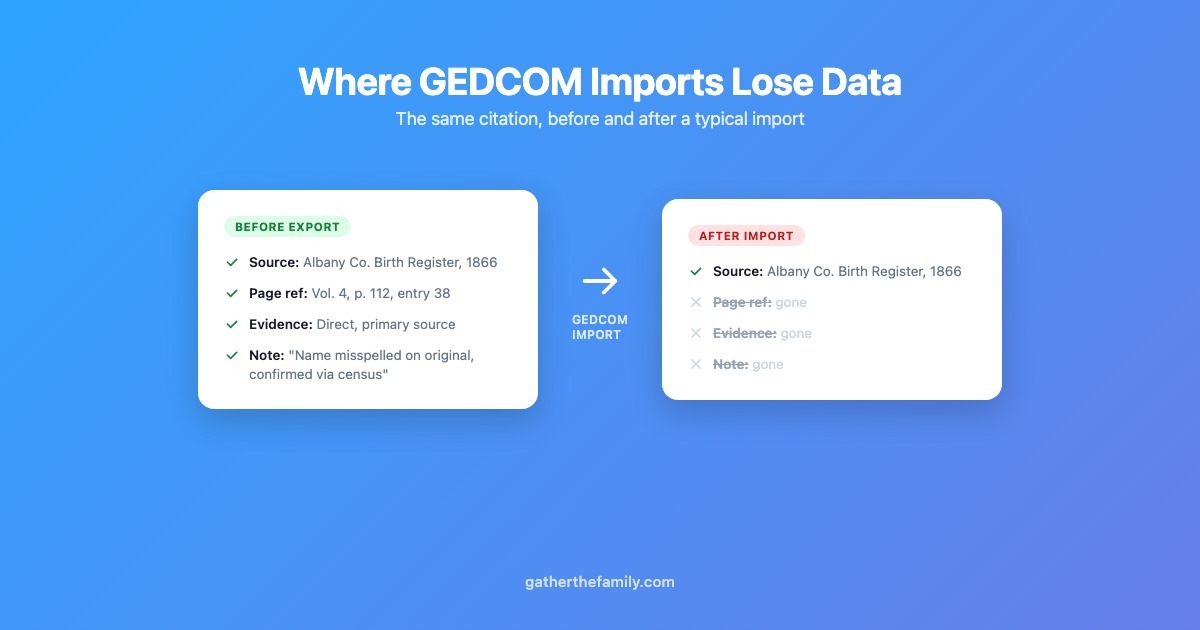
- Source citations — SOUR references and the citation text tied to a specific fact. Some importers grab the source title and throw away the page reference, the access date, or the transcription.
- Notes — free-text NOTE records attached to people, events, or sources. Easy to skip because they don't map cleanly to a structured field.
- Media links — OBJE references pointing at photos or documents. If the importer doesn't also handle the file paths or embedded media correctly, you get a tree with no pictures.
- Custom event types — anything beyond birth/death/marriage. If a program's importer only recognizes a fixed list of standard tags, a custom "Immigration" or "Land Grant" event either gets dropped or dumped into a generic catch-all with no context.
A checklist for auditing an import
Before you trust a GEDCOM migration, actually check it — don't just eyeball the person count.
- Pick 3-5 people with heavily sourced facts in your old software and note their citation count before export.
- After import, check those same people. Are the citations still there? Do they still have page references and transcriptions, or just a bare source title?
- Check notes specifically. Pull up a person you know had research notes attached and confirm the text survived, not just the fact.
- Check media links, especially if your old tree had a lot of scanned documents or photos attached to specific facts rather than just the person.
- Look for anything you'd call a "custom" event — an occupation, an immigration record, a land transaction — and confirm it imported as something meaningful rather than disappearing or becoming "Other" with no label.
If something's missing, the honest fix is usually re-exporting from the source software with different settings (some have export options that affect what gets included) rather than assuming the destination is broken — but you won't know which one until you check.
What GTF actually does with a GEDCOM import, specifically
I built GTF's importer around the assumption that people migrating a tree have usually put years into it, so losing citations quietly is close to the worst thing the software could do. Concretely:
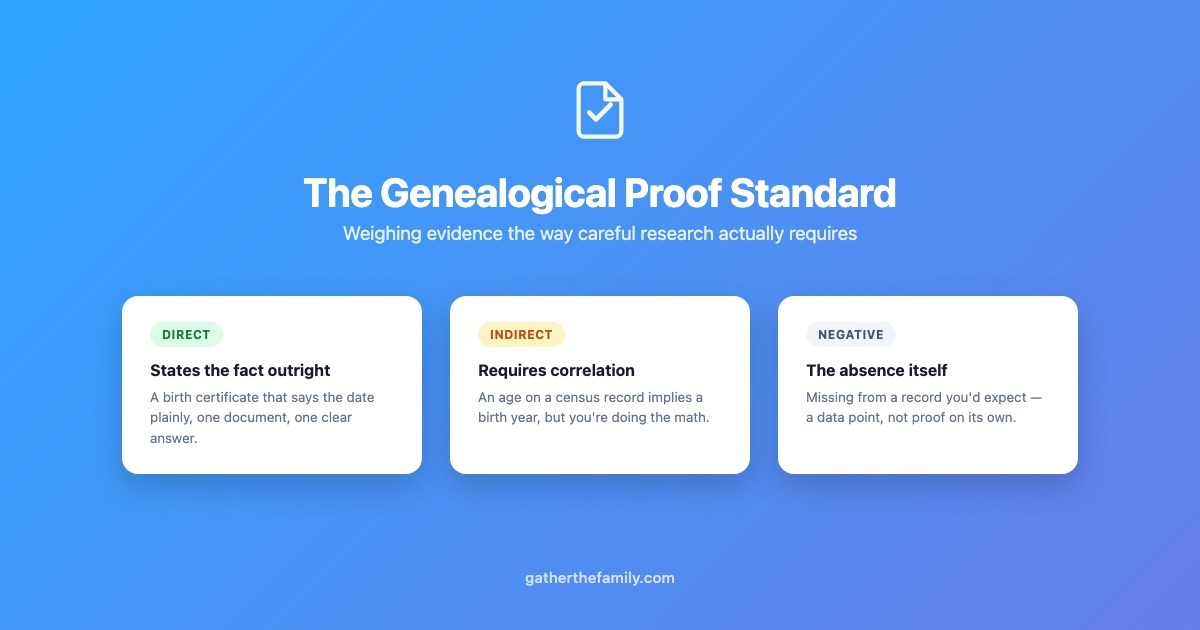
GEDCOM import is unbounded on every tier, including free — there's no person-count or file-size cap that would force you to strip anything out before importing just to fit a plan. Source citations parse into the same evidence-tracking model the rest of the app uses, so a citation coming in from GEDCOM keeps its evidence type and evidence quality rather than collapsing into a bare source link (this is the same field GTF uses everywhere else — see the GPS post if you want the full context on why that distinction matters). Notes import as their own linked records, not flattened into a single text blob. And the event-type mapping covers more than the standard set — vendor-specific tags for things like military service map to real, labeled event types instead of an unlabeled "other."
Before anything is actually written to your tree, GTF runs the whole file through duplicate detection and shows you a preview: exact duplicates, likely matches, and possible matches, scored separately, so you can decide person-by-person whether to import as new, skip, or merge — instead of the import silently creating 200 duplicate people because it matched everyone as "new."
I'll say the same thing here I said in the GPS post: this isn't a claim that GTF handles every GEDCOM extension every program has ever invented — vendor-specific tags are a long tail, and GEDCOM 7's newer conventions aren't universally supported by every tool yet either. What I can say is that the common failure modes — citations quietly losing their detail, notes disappearing, duplicate floods — are things I built the importer to specifically avoid, not accidents I haven't gotten to yet.
If you've got an old tree sitting in another program, the free tier has no time limit and no person-count pressure for actually testing a GEDCOM migration before you commit to anything.